

🎹 How to Prepare for Virtual Piano Lessons
Read and Rhythm Studio
To make sure your child gets the most out of their virtual piano lessons, it’s important to have a simple, reliable setup. A few small adjustments can make a huge difference in how well I can hear, teach, and support your student.
Here’s how to get everything ready:
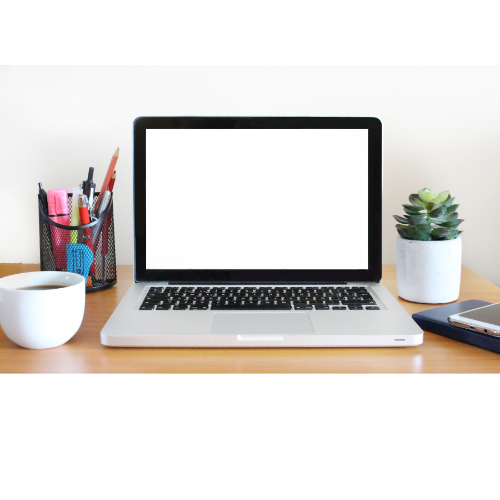
💻 1. Choose the Right Device
- Use a laptop or tablet whenever possible (phones are harder to position)
- Make sure the device is fully charged or plugged in
- Position the device so I can clearly see:
- Your child’s hands
- The keyboard
🎧 2. Set Up Zoom Audio (VERY IMPORTANT)
This is the #1 issue in online music lessons—so please take a moment to adjust these settings before your first lesson.
In Zoom, please do the following:
- Turn ON:
- “Original Sound for Musicians” (or “Original Sound”)
- Turn OFF:
- Background noise suppression (set to Low if needed)
- Echo cancellation (if it interferes with sound)
👉 These settings allow me to hear the piano clearly without Zoom cutting off or distorting the sound.
Before each lesson:
- Join the meeting a few minutes early
- Test your audio by playing a few notes
- Make sure I can hear both speaking and piano playing clearly
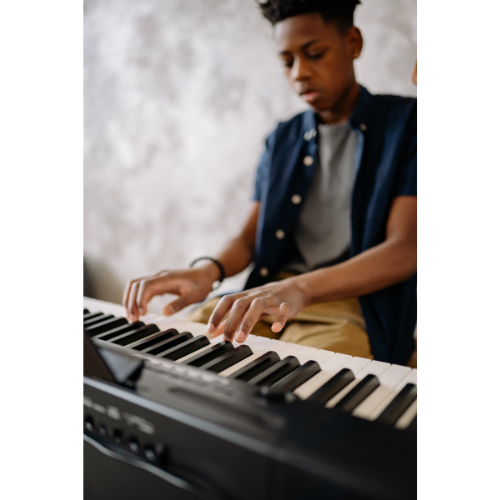
🎹 3. Piano & Seating Setup
- Use a real piano or full-size keyboard if possible
- Sit on a stable bench or chair (not too low or too high)
- Keep the keyboard area well-lit so I can see hand position
📷 4. Camera Position Matters
Your camera angle should show:
- The full keyboard
- Your child’s hands and posture
💡 Tip:
Place the device slightly to the side—not directly in front—so I can see hand movement more clearly.


📚 5. Have Materials Ready
Before the lesson begins, please have:
- Assigned lesson books
- Any printed music
- A pencil
No scrambling during lesson time—we want to use every minute well.
🔕 6. Minimize Distractions & Be Ready To Start On Time
- Log in 2–3 minutes early
- Have everything set up before the lesson begins
Consistency helps students feel prepared and successful. Sometimes tech mishaps happen, and I understand (those things happen to me, too!) But on average, let’s work together to be prompt and ready for our students to perform well.

❤️ Final Note
Virtual lessons can be incredibly effective when the setup is right. These small steps help me:
- Hear your child clearly
- Give better feedback
- Create a smooth, enjoyable learning experience
If you ever need help setting things up, I’m happy to walk you through it! I’m only an email away- pianowithmrsdee@gmail.com